
How to Use PhysicianConnect
Physician Connect is a secure, web-based portal powered by UC Davis Health’s Epic system. It gives you real-time access to shared patient information and streamlines communication with UC Davis Health teams.
PhysicianConnect Helpful Links
PhysicianConnect FAQs
PhysicianConnect is a secure, web-based version of UC Davis Health’s Epic system. It provides real-time access to shared patient records and supports communication with UC Davis Health teams.
Key features:
- View upcoming appointments and current admissions
- Place referrals and check referral status
- Order labs and imaging
- Create new patient records
- Send secure In Basket messages
Access is available to:
- Referring providers and their staff
- Clinical partners with a treatment relationship
- Administrative and support staff (e.g., utilization review)
- Other approved entities (e.g., attorneys, release of information (ROI) copy agencies, research monitors)
- Referring providers and staff: Complete a Physician Connect Portal Access Agreement
- Non-referring entities: Access is granted through a sponsorship process
Each organization designates a Provider Administrator who can:
- Grant access to new users
- Update roles
- Revoke access
You can request access in three ways:
- Send an In Basket message through PhysicianConnect (recommended)
- Email: roi@health.ucdavis.edu
- Fax: 916-734-2126 (on official letterhead)
What to Include in Request
- Patient name, date of birth, and gender
- UC Davis MRN # (if available)
- Your office name, address, and phone number
- Subject line: “This is a STAT Access request for PhysicianConnect”
- Reason for access/request
Timing
STAT requests are processed within 30 minutes during business hours
After-hours Urgent Access
If a patient chart is needed after business hours, please call our 24/7 Help Desk.
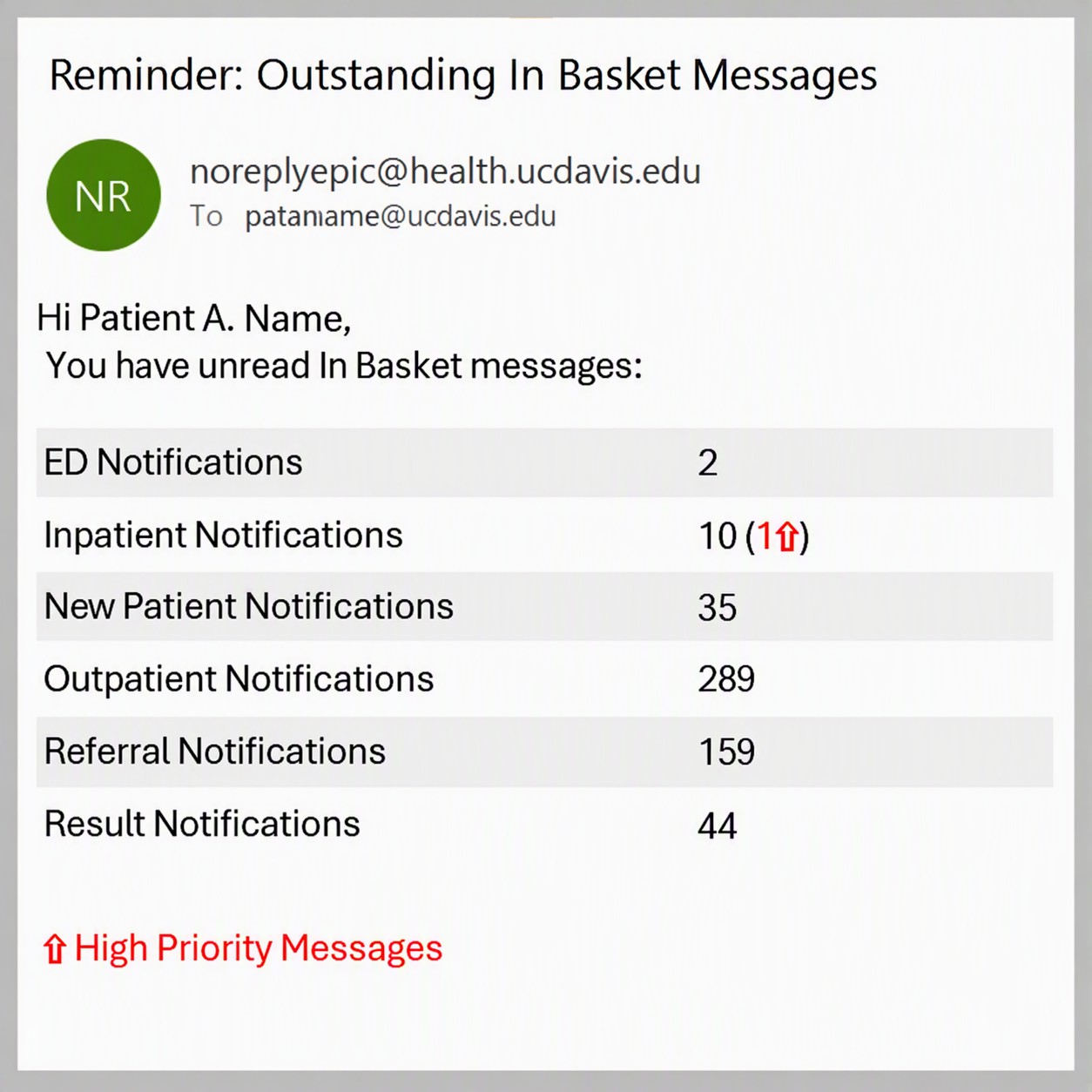
PhysicianConnect users can receive email notification summaries of unread messages, including referral notifications. Email notifications are automatically enabled when an account is created, and users can customize which event notifications they receive.
Email Notification Example:
Key features:
- Email summaries of unread messages and referral notifications
- Notifications are automatically enabled when an account is created
- Users can customize the types of event notifications they receive
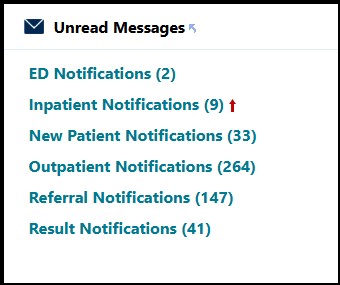
- Users within the same PhysicianConnect group share a patient list and receive the same notifications in their In Basket
PhysicianConnect User View Example:
Referral notifications are currently generated when:
- A referral is created or authorized
- A referral is canceled or denied
- An appointment linked to the referral is scheduled or canceled
- A patient is a no-show for the appointment linked to the referral
- A referral note is added
For password resets, one-on-one training, system errors or issues, reactivating an account or to close your account:
Access the user guide and training materials the PhysicianConnect portal.
Health Plans We Accept
Review our list of accepted health plans to check insurance.
View list of accepted health plansSpecialty Referral Guidelines
Review our specialty referral guidelines for required documentation and authorized CPT codes.
View Specialty Referral Guidelines