Action needed: Activate MyUCDavisHealth to complete OEHC requirements
(SACRAMENTO)
As part of an effort to create a more streamlined and efficient experience for employees, Occupational Employee Health Clinic (OEHC) transitioned employee health communications and requirements to MyUCDavisHealth (MyChart) on June 23.
Employees will now use MyUCDavisHealth to complete and submit OEHC requirements, including annual TB, flu and respiratory questionnaires, and to receive communications about occupational exposures, such as bloodborne pathogen and infectious disease exposures.
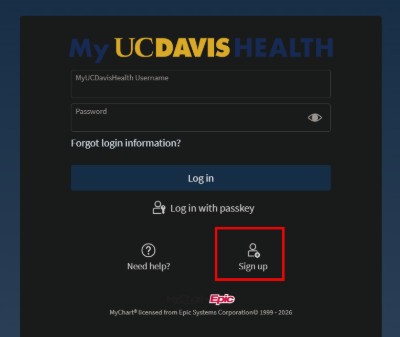
Employees who have not yet activated their MyUCDavisHealth account are encouraged to do so now. Employees who already have a MyUCDavisHealth account do not need to create a new one to access OEHC services.
All UC Davis Health employees already have an account and can complete the one-time activation process at any time. Activating an account in advance will help ensure employees can receive OEHC communications and complete their annual requirements.
If you experience issues after attempting the manual account activation process, contact the MyUCDavisHealth Help Desk using the MyUCDavisHealth contact form or call 916-703-HELP (916-703-4357) for assistance. Please allow two to three business days for a response through the contact form. For immediate assistance, call the Help Desk.